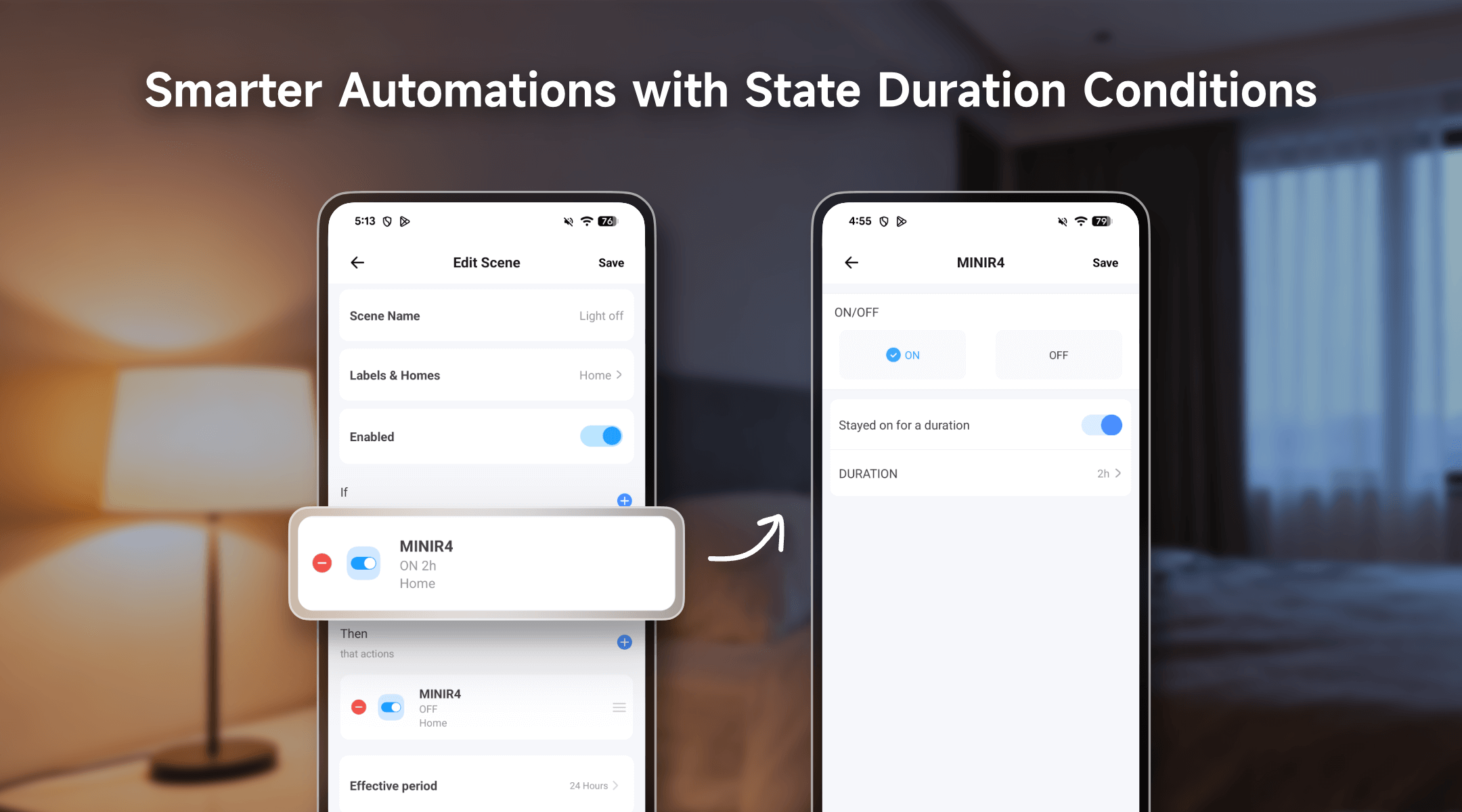
The latest update in the eWeLink App 5.21 introduces State Duration Conditions, a powerful new way to make your smart home more efficient, safer, and more convenient. Instead of triggering actions the instant a device turns on or off, you can now have automations run only after it has stayed in that state for a set duration.
This gives you far greater control over energy use, appliance runtime, and routine tasks — especially with widely used devices such as plugs, switches, and power-monitoring products.
What Are State Duration Conditions?
Imagine your automations gaining a sense of timing. Instead of an action happening the moment a device turns on, you can now set a delay, ensuring the automation only runs if a device remains on or off for a specific period you define.
Here’s how this new logic makes your routines smarter:
- Define the Duration: Choose any duration from a quick 1 second up to nearly 3 hours. This gives you precise control over when an automation should kick in.
- Triggered Exactly When You Want: The automation activates only after the device has stayed in the selected state—On or Off—for the duration you set. Whether it’s just one second or 2 hours, the timing is entirely under your control, giving you more precise and intentional automation behavior.
- Uninterrupted Reliability: Your automations remain robust and will execute as planned, even if the device temporarily loses its internet connection.
Bringing Intelligence to Everyday Moments
This new logic opens up a world of possibilities for energy savings, appliance safety, and sheer convenience. It’s like giving your home a sense of context, allowing it to understand not just what happens, but for how long. Here’s how it can work for you:
- Guard Against Wasted Energy: Ever left the house and wondered if you left the living room lights on? Now, create an automation that sends you a friendly reminder or simply turns the lights off for you after they’ve stayed on for two hours unattended.
- Nurture Your Garden Automatically: Give your plants the perfect amount of water. Set a rule for your smart plug-connected irrigation pump to shut off after running continuously for 10 minutes, preventing over-watering and giving you one less thing to remember.
- Prevent Appliance Overuse: For ultimate peace of mind, set your space heater or other high-draw appliances to power down automatically after three hours of continuous operation, preventing potential overheating and curbing energy waste.
- Eliminate “Vampire” Power Drains: Stop game consoles and media centers from drawing power all night. You can set an automation to cut power to their smart plug once your TV has been off for 20 minutes—confirming you’re done for the evening.
A Wide Range of Compatible Devices
This advanced feature works with a growing family of ewelink-supported devices, including:
Device Type | Eligible Device Models (Examples) |
Single-Channel Plug | SONOFF BASIC_R3 SONOFF MINI SONOFF RF_R2 SONOFF S20R1 SONOFF S26 SONOFF S31 Lite SONOFF S55R1 SONOFF S30 AIB-xU1 CKCP-001 |
Single-Channel Plug_Support 2.4G eWeLink-Remote | SONOFF BASICR4 SONOFF MINIR3 SONOFF MINIR4 SONOFF S40 lite CK-BL602-4SW-AY |
DIY Smart Switch | SONOFF Basic SONOFF RF SONOFF SV |
Single-Channel Switch | SONOFF RF R2 SONOFF T1 1C SONOFF Touch SONOFF TX1C |
Power detection Plug | SONOFF IW100_US SONOFF IW101_US SONOFF Pow R2 SONOFF POWR3 SONOFF S31 PSA-X67-GL |
Temp & Humi Monitoring Smart Switch | SONOFF S22_CN SONOFF TH10 SONOFF TH16 PSA-BHA-GL |
Power Monitoring Plug Overload Alert – Multi-Channel Protocols | SONOFF S40 SONOFF S40TPA SONOFF S40TPB |
(POWCT)POWR3 – with LCD Screen | SONOFF POWCT SONOFF POWR316 SONOFF POWR320D SONOFF S60TPF SONOFF S60TPG |
Temperature & Humidity Monitoring Switch_Support with History Feature | SONOFF TH16R3 SONOFF THR316 SONOFF THR320 SN-ESP32D0-THR3-01 |
The State Duration Conditions feature is now available in the newest version of the eWeLink app. Update today and experience a smarter, more intentional way to automate your home.
What important features are we missing? We’d love to hear from you! Join our discussion here.
Comments
0 comments
Please sign in to leave a comment.